1

I can't click the Sign in with Google button on the twitter login page "twitter.com/login"

Code trials:

def tweet(self):
    self.driver.get("https://twitter.com/login")
    time.sleep(10)
    login_with_google = self.driver.find_element(By.XPATH, '//*[@id="container"]/div/div[2]/span[1]')
    login_with_google.click()

Pycharm keeps giving me the error:
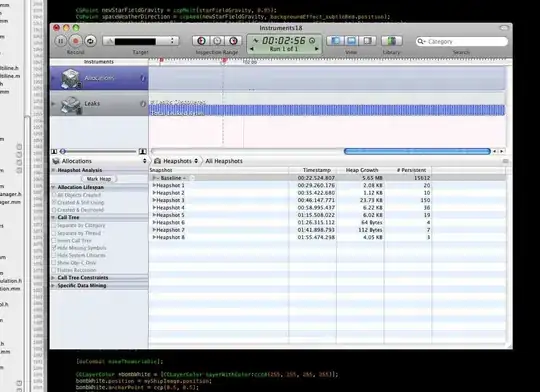
pycharm error

What I fail to understand is that I cannot select any element after opening the page even changing selector from XPATH to CSS or CLASS, this hasn't happened to me till now with any other website. Is there something I'm not understanding of the twitter web page?

undetected Selenium
  • 183,867
  • 41
  • 278
  • 352
Alex
  • 23
  • 3

2 Answers2

0

Root cause of the issue: The desired element is wrapped within an IFRAME, in such cases you need to switch into the iframe and then perform any actions:

enter image description here

Change your code as below:

def tweet(self):
    self.driver.get("https://twitter.com/login")
    time.sleep(10)
    wait = WebDriverWait(self, 30)
    wait.until(EC.frame_to_be_available_and_switch_to_it((By.XPATH, "//iframe")))
    login_with_google = self.driver.find_element(By.XPATH, '//span[text()='Sign in with Google'][1]')
    login_with_google.click()

Switching back to default content: To come out of iframe use the code below.

driver.switch_to.default_content()

Note: I changed the XPath expression from your code and modified it to be more user readable, see below:

//span[text()='Sign in with Google'][1]
Shawn
  • 4,064
  • 2
  • 11
  • 23
0

The Sign in with Google element within Twitter Login Page is within an <iframe> so you have to:

  • Induce WebDriverWait for the desired frame to be available and switch to it.

  • Induce WebDriverWait for the desired element to be clickable.

  • You can use the following locator strategies:

    • Using XPATH:

      self.driver.get("https://twitter.com/login")
      WebDriverWait(self.driver, 20).until(EC.frame_to_be_available_and_switch_to_it((By.XPATH,"//iframe[starts-with(@src, 'https://accounts.google.com/gsi/button')]")))
      WebDriverWait(self.driver, 20).until(EC.element_to_be_clickable((By.XPATH, "//span[text()='Sign in with Google' and not(@id)]"))).click()
      
  • Note : You have to add the following imports :

     from selenium.webdriver.support.ui import WebDriverWait
     from selenium.webdriver.common.by import By
     from selenium.webdriver.support import expected_conditions as EC
    
  • Browser Snapshot:

twitter_signin_google


Reference

You can find a couple of relevant discussions in:

undetected Selenium
  • 183,867
  • 41
  • 278
  • 352