I have created a series of VBA mathematical functions in an Excel spreadsheet (i.e. minimisation algorithms). These functions have been tested and they seem to be working properly. I want to add a description of these function and their arguments therefore, based on this question on the topic, I tried to code some subroutines that would achieve that:
First, I created a subroutine to actually encapsulate the descriptions:
Sub RegisterUDF()

myFunctionOneDescription = "Long FunctionOne description" & vbLf _
    & "myFunctionOne(<...>, ..., <...>)"
myFunctionOneArguments = Array("FunctionOne argument 1 description", _
                               "FunctionOne argument 2 description", _
                               "FunctionOne argument 3 description", _
                               "FunctionOne argument 4 description", _
                               "[Optional] FunctionOne argument 5 description")

myFunctionTwoDescription = "Long FunctionTwo description" & vbLf _
    & "myFunctionTwo(<...>, ..., <...>)"
myFunctionTwoArguments = Array("FunctionTwo argument 1 description", _
                               "FunctionTwo argument 2 description", _
                               "FunctionTwo argument 3 description", _
                               "FunctionTwo argument 4 description", _
                               "[Optional] FunctionTwo argument 5 description")

myFunctionThreeDescription = "Long FunctionThree description" & vbLf  _
    & "myFunctionThree(<...>, ..., <...>)"
myFunctionThreeArguments = Array("FunctionThree argument 1 description", _
                                 "FunctionThree argument 2 description", _
                                 "FunctionThree argument 3 description", _
                                 "FunctionThree argument 4 description", _
                                 "[Optional] FunctionThree argument 5 description")

Application.MacroOptions Macro:="myFunctionOne", Description:=myFunctionOneDescription, ArgumentDescriptions:=myFunctionOneArguments, Category:=9
Application.MacroOptions Macro:="myFunctionTwo", Description:=myFunctionTwoDescription, ArgumentDescriptions:=myFunctionTwoArguments, Category:=9
Application.MacroOptions Macro:="myFunctionThree", Description:=myFunctionThreeDescription, ArgumentDescriptions:=myFunctionThreeArguments, Category:=9

End Sub
Then, I create the following subroutine in the ThisWorkbook object:
Private Sub Workbook_Open()
  Call RegisterUDF
End Sub
so that the descriptions are automatically loaded when I open the workbook.
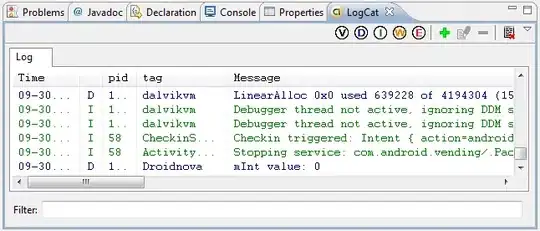
When creating these two subroutines and assessing the look of the function descriptions in the Function UI (namely the one that pops up when you press Ctrl+Shift+A or fx), I started closing and reopening the workbook given descriptions are updated only when Workbook_Open() is executed. Then, at some point I started getting an Out of Memory error immediately after opening the workbook; the error seemed to originate from the third function description above:
I started getting rid of these two subroutines but now I still see the Out of Memory error when I refresh my workbook (whose tabs are populated with instances of my user-defined functions); each time, the Out of Memory error seems to originate in one of my UDFs but not always the same. In addition, when I try to cancel the debugging by resetting VBA, I get a new Out of Memory error immediately after, before having refreshed the workbook or performed any additional action, thus I end trapped in a "loop" of Out of Memory errors and I am forced to close Excel from the Task Manager (1). This had never happened before I tried to code the functions' descriptions.
Can anybody help me in understanding what might be going on? I suspect this is related to the utilisation of Application.MacroOptions but I am unsure. Any help is greatly appreciated.
(1) I suspect this is actually explained by the fact that, when I refresh the workbook or a tab, multiple instances of my UDFs will try to reevaluate hence each Out of Memory error corresponds to one instance of my UDFs.
[EDIT #1] I observe very strange behaviour. For example, on a tab with preexisting instances of my UDFs in some cells, I have tried to evaluate one of my functions in a new cell after having commented out the 2 subroutines described above. When writing down the function in the cell and pressing enter, I got the Out of Memory error originating from the code of that UDF. Then, I deleted from the VBA code the commented subroutines and when pressing enter the function evaluated correctly! However, when refreshing that tab, I then got the same memory error but this time coming from another UDF.
