0

I have this problem when registering a new account. I created a dropdown list there to select a role (Admin, User etc).

When I create a new account if I write one letter as a password it shows this (works correctly): Here it is
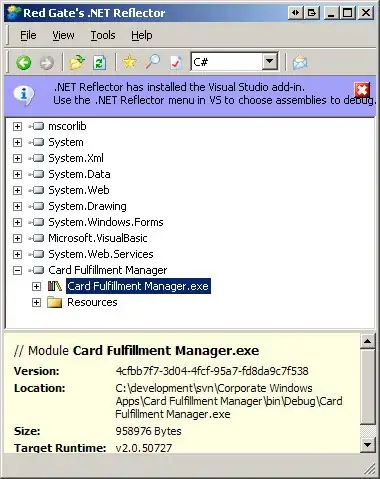
When I create a password without a number, an Uppercase letter and a non-alphabetical symbol. It should also state a similar error by default. Saying something like: "Your password doesn't have an uppercase letter, blah blah.." But what it does is sends this error. Here
If I write the password correctly like: "password1A_" then it works, creates an account without any problems.

How should I fix this error? I haven't inserted anything because I don't where the problem could be and I won't be inserting all of the Register code here because there's too much of it by default.

And this is my Register Methods:

    [AllowAnonymous]
    public ActionResult Register()
    {
        List<SelectListItem> list = new List<SelectListItem>();
        foreach (var role in RoleManager.Roles)
            list.Add(new SelectListItem() { Value = role.Name, Text = role.Name });
        ViewBag.Roles = list;

        return View();
    }

    //
    // POST: /Account/Register
    [HttpPost]
    [AllowAnonymous]
    [ValidateAntiForgeryToken]
    public async Task<ActionResult> Register(RegisterViewModel model)
    {
        if (ModelState.IsValid)
        {
            var user = new ApplicationUser { UserName = model.Email, Email = model.Email };
            var result = await UserManager.CreateAsync(user, model.Password);
            if (result.Succeeded)
            {
                result = await UserManager.AddToRoleAsync(user.Id, model.RoleName);
                await SignInManager.SignInAsync(user, isPersistent:false, rememberBrowser:false);

                // For more information on how to enable account confirmation and password reset please visit http://go.microsoft.com/fwlink/?LinkID=320771
                // Send an email with this link
                // string code = await UserManager.GenerateEmailConfirmationTokenAsync(user.Id);
                // var callbackUrl = Url.Action("ConfirmEmail", "Account", new { userId = user.Id, code = code }, protocol: Request.Url.Scheme);
                // await UserManager.SendEmailAsync(user.Id, "Confirm your account", "Please confirm your account by clicking <a href=\"" + callbackUrl + "\">here</a>");

                return RedirectToAction("Index", "Home");
            }
            AddErrors(result);
        }

        // If we got this far, something failed, redisplay form
        return View(model);
    }

Any help is highly appreciated

  • Because `ViewBag.Roles` is `null`! –  Sep 15 '17 at 08:59
  • 2
    Possible duplicate of [Value cannot be null. Parameter name: items (in Dropdown List) ASP.NET MVC5](https://stackoverflow.com/questions/38921483/value-cannot-be-null-parameter-name-items-in-dropdown-list-asp-net-mvc5) – Tetsuya Yamamoto Sep 15 '17 at 09:01
  • I'm pretty sure it's not because I pass information to it, I will insert it in the question –  Sep 15 '17 at 09:01
  • 1
    Yes it is! You did not repopulate it in the POST method before you returned the view when `ModelState` was invalid –  Sep 15 '17 at 09:02
  • And I suggest you read [this question and answer](https://stackoverflow.com/questions/34366305/the-viewdata-item-that-has-the-key-xxx-is-of-type-system-int32-but-must-be-o). And since you using a view model your view model should contain a property for the `SelectList` –  Sep 15 '17 at 09:03
  • And creating anothre identical `IEnumerabe` from the `ViewBag` property by using `new SelectList(..)` is just pointless –  Sep 15 '17 at 09:04
  • It contains that, I just haven't showed you. As I stated in the question, I was lost here so I didn't know what code parts to insert in the question –  Sep 15 '17 at 09:04
  • Read my comment again - carefully this time - the value of `ViewBag.Roles` is `null` because you did not set it in the POST method –  Sep 15 '17 at 09:06
  • Thank you for your answer, I'm thankful for your help. Sorry for the stupid questions, but I was just lost, as I didn't really change anything in this register form and there was an error. Either way, thank you very much! –  Sep 15 '17 at 09:08

1 Answers1

0

Update your post action method like this

//
        // POST: /Account/Register
        [HttpPost]
        [AllowAnonymous]
        [ValidateAntiForgeryToken]
        public async Task<ActionResult> Register(RegisterViewModel model)
        {
            if (ModelState.IsValid)
            {
                var user = new ApplicationUser { UserName = model.Email, Email = model.Email };
                var result = await UserManager.CreateAsync(user, model.Password);
                if (result.Succeeded)
                {
                    result = await UserManager.AddToRoleAsync(user.Id, model.RoleName);
                    await SignInManager.SignInAsync(user, isPersistent: false, rememberBrowser: false);

                    // For more information on how to enable account confirmation and password reset please visit http://go.microsoft.com/fwlink/?LinkID=320771
                    // Send an email with this link
                    // string code = await UserManager.GenerateEmailConfirmationTokenAsync(user.Id);
                    // var callbackUrl = Url.Action("ConfirmEmail", "Account", new { userId = user.Id, code = code }, protocol: Request.Url.Scheme);
                    // await UserManager.SendEmailAsync(user.Id, "Confirm your account", "Please confirm your account by clicking <a href=\"" + callbackUrl + "\">here</a>");

                    return RedirectToAction("Index", "Home");
                }
                AddErrors(result);
            }
            // Populate ViewBag.Roles that needed by view
            List<SelectListItem> list = new List<SelectListItem>();
            foreach (var role in RoleManager.Roles)
                list.Add(new SelectListItem() { Value = role.Name, Text = role.Name });
            ViewBag.Roles = list;
            // If we got this far, something failed, redisplay form
            return View(model);
        }

Hope this help

Dan Nguyen
  • 1,308
  • 6
  • 17