Please give me code to design edit text box, button with round corners, etc. Which is shown in the image.
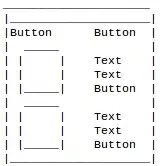
Please give me code to design edit text box, button with round corners, etc. Which is shown in the image.


you can use xml drawable and use it as background
first go to drawable directory and create new Drawable Resource file and name it MyRoundButton then copy all this code into it
<?xml version="1.0" encoding="UTF-8"?>
<shape xmlns:android="http://schemas.android.com/apk/res/android"
android:shape="rectangle">

<stroke
    android:color="#ff66cc"
    android:width="2dp"/>

<corners
    android:radius="10dp"/>

</shape>
then add this to your Button background
android:background="@drawable/MyRoundButton"
now you can change the corner radius by changing
android:radius="someValue"
and border color by
android:color="#someColor"
