9

I have a small project to handle tel: protocol links. It's a desktop application, which I'm developing using Visual Studio 2013 Community Edition.

Previously, I used to register the handler with a simple registry modification:

Microsoft.Win32.Registry.SetValue(registryKey, string.Empty, registryValue, Microsoft.Win32.RegistryValueKind.String);
Microsoft.Win32.Registry.SetValue(registryKey, "URL Protocol", String.Empty, Microsoft.Win32.RegistryValueKind.String);

registryKey = @"HKEY_CLASSES_ROOT\tel\shell\open\command";
registryValue = "\"" + AppDomain.CurrentDomain.BaseDirectory + "TelProtocolHandler.exe\" \"%1\"";
Microsoft.Win32.Registry.SetValue(registryKey, string.Empty, registryValue, Microsoft.Win32.RegistryValueKind.String);

However, this no longer seems to work on Windows 8. While the registry key has the desired value, the links are still handled by a different application. My tool doesn't even appear in the protocol handler selection:
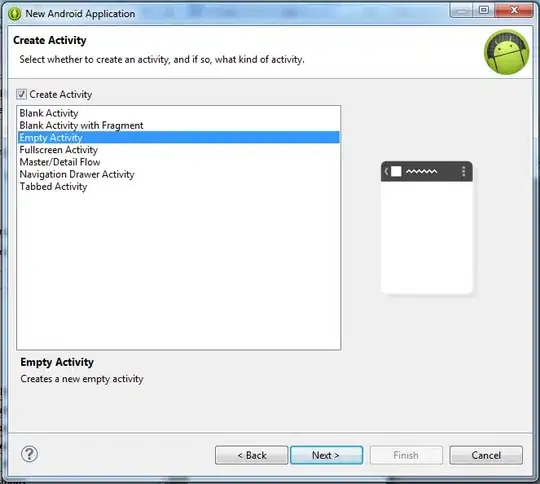
enter image description here

I've looked at Walkthrough: Using Windows 8 Custom Protocol Activation, but I can't relate the mentioned information to my application. The article mentions a .appxmanifest file, which I don't have in my project and am unable to add as a new item.

ashleedawg
  • 20,365
  • 9
  • 72
  • 105
Oliver Salzburg
  • 21,652
  • 20
  • 93
  • 138
  • Is your application a windows store application or a desktop application? Which Visual Studio version are you using? | With which part of the linked article did you have problems? You can should be able to add `tel:` in the protocol list of your project settings, and then it should show up in the list where the user can choose a protocol handler. – CodesInChaos Dec 02 '14 at 11:49
  • @CodesInChaos: It's a desktop application. I'm using VS2013 Community Edition. The article refers to a manifest file which I don't have in my project and which I seem to be unable to add. The article refers explicitly to that manifest, which I don't have. – Oliver Salzburg Dec 02 '14 at 11:57

1 Answers1

13

After asking the question, I stumbled upon Registering a protocol handler in Windows 8

The top voted answer there got me on the right track, although there were other issues. In the end, this is what I ended up with:

// Register as the default handler for the tel: protocol.
const string protocolValue = "TEL:Telephone Invocation";
Registry.SetValue(
    @"HKEY_CLASSES_ROOT\tel",
    string.Empty,
    protocolValue,
    RegistryValueKind.String );
Registry.SetValue(
    @"HKEY_CLASSES_ROOT\tel",
    "URL Protocol",
    String.Empty,
    RegistryValueKind.String );

const string binaryName = "tel.exe";
string command = string.Format( "\"{0}{1}\" \"%1\"", AppDomain.CurrentDomain.BaseDirectory, binaryName );
Registry.SetValue( @"HKEY_CLASSES_ROOT\tel\shell\open\command", string.Empty, command, RegistryValueKind.String );

// For Windows 8+, register as a choosable protocol handler.

// Version detection from https://stackoverflow.com/a/17796139/259953
Version win8Version = new Version( 6, 2, 9200, 0 );
if( Environment.OSVersion.Platform == PlatformID.Win32NT &&
    Environment.OSVersion.Version >= win8Version ) {
    Registry.SetValue(
        @"HKEY_LOCAL_MACHINE\SOFTWARE\Classes\TelProtocolHandler",
        string.Empty,
        protocolValue,
        RegistryValueKind.String );
    Registry.SetValue(
        @"HKEY_LOCAL_MACHINE\SOFTWARE\Classes\TelProtocolHandler\shell\open\command",
        string.Empty,
        command,
        RegistryValueKind.String );

    Registry.SetValue(
        @"HKEY_LOCAL_MACHINE\SOFTWARE\TelProtocolHandler\Capabilities\URLAssociations",
        "tel",
        "TelProtocolHandler",
        RegistryValueKind.String );
    Registry.SetValue(
        @"HKEY_LOCAL_MACHINE\SOFTWARE\RegisteredApplications",
        "TelProtocolHandler",
        @"SOFTWARE\TelProtocolHandler\Capabilities",
        RegistryValueKind.String );
}

TelProtocolHandler is the name of my application and should be replaced by whatever the name of your handler is.

The accepted answer in the other question also has ApplicationDescription in the registry. I didn't see the same key for any of the other registered handlers that I've checked, so I left it out and couldn't detect any problems.

Another key issue was that all of this wouldn't work if my application that sets up the handler was 32bit. When the entries are made in the Wow6432Node, I wasn't able to select the handler as the default for the given protocol. It took me a while to figure this out, because my application was compiled as AnyCPU. What I first missed was this little flag in the project properties:

enter image description here

Community
  • 1
  • 1
Oliver Salzburg
  • 21,652
  • 20
  • 93
  • 138