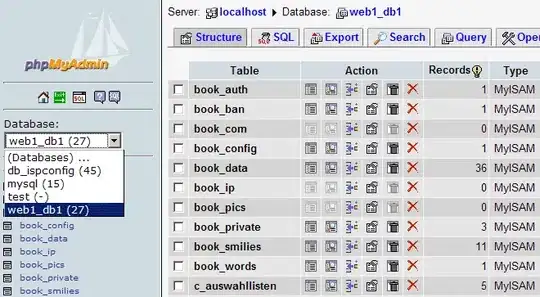
A little background first. The FlightStats download page linked to in the original question appears to provide zipped tarballs of the binary table storage files from the MySQL data directory. Given that this is considered a viable means of distribution, and combined with the use of MERGE tables, I would surmise that this tarball contains a bunch of MyISAM data files (.myi, .myd). Jack's edit confirms that this is the situation.
This is an atypical means of distributing a MySQL data set, although not at all uncommon when backing up MyISAM storage, and probably not all that unheard of for moving large data sets around; it likely works out considerably more space-efficient than a corresponding dump file. Of course, in SQL Server land, it's pretty common to attach database files into an instance.
Broadly speaking, you'd recover the database as follows:
- Locate the MySQL data directory; typically
/var/mysql or similar
- Create a new directory with the desired database name e.g.
flightdata
- Extract the
.myi, .myd and other files from the tarball into this directory
- Make sure the entire directory is owned by the user MySQL runs as (usually
mysql) - use chmod -R to make sure you get everything
- Open a MySQL console
USE <database-name>SHOW TABLES
You should see some tables listed. In addition, the downloads page linked includes a couple of SQL scripts, which contain SQL commands that you need to run against your database once it's in place. These will cause the merge definitions and table indexes to be rebuilt. You can pipe these into the command-line client, e.g. mysql -u<username> -p<password> <database-name> < <sql-file>.
It may be a good idea to shut down the MySQL server while you're doing this; use e.g. /etc/init.d/mysql stop or similar, and restart once the files are extracted in place.