2

I have a Cocoa Mac App that I don't know if it will on the Mac AppStore. The application is still in development, and I want few persons to be able to launch it on their devices while the app gets new features.

The situation is the following :

  • I have a Mac Developer Certificate
  • Devices are registered in the Mac Member Center.

Every time they launch the app, GateKeeper complain the app doesn't come from the Mac AppStore, nor is provided by a identified developer, no matter if I sign the app or not.

So I tried to sign it and a provisioning profile is embedded into the app. If I don't sign it nothing embedded.

I should mention that the app has a Spotlight importer and QuickLook generator bundled into it.

I didn't find any clear explanation on how to resolve this issue in the Apple documentation, and most (if not all) blog posts, or articles on the Internet are about iPhone apps, not Mac ones (the process/requirements seems to be different on the two platforms). The documentation is unclear on if all testers should be team members (which seems crazy because some of them aren't developers and don't have Xcode installed).

Can someone provide a clear step-by-step explanation on how to do that ?
Or maybe a article/blog post link or tips ?

Edit :

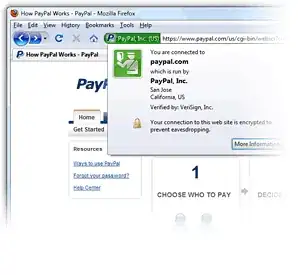
Here are screenshots of the app bundle structure and plug-in structure :
enter image description here enter image description here

Everything seems to be right. The way I obtained that is : I didn't set "Code Signing Identity" build setting, but rather archived the app, and exported it specifying code signing identity at that time.

Edit :

More and more curious, when I run codesign command in the terminal, codesign -vvv MyApp.app, the output tends to suggests that all is rightly done :

MyApp.app: valid on disk
MyApp.app: satisfies its Designated Requirement

Vince
  • 525
  • 1
  • 3
  • 19
  • Are you signing with the Team Provisioning Profile? – gaige May 16 '13 at 13:33
  • @gaige Yes, I've generated a profile including my certificate and test devices UUIDs and use my code signing identity (attached to that profile) to sign the app. – Vince May 16 '13 at 14:19
  • If you do the process at the following link, do you see the hardware UUID listed for the profile you're using to sign the app? "UDIDs in provisioning profile" http://stackoverflow.com/questions/3398560/udids-in-provisioning-profile/9778131#9778131 – Bobjt May 16 '13 at 22:24
  • @Bobjt Yes, all the devices appear in the profile. They also appear in the profile that is embedded into built application. – Vince May 17 '13 at 06:58

1 Answers1

4

Interpreting this question as essentially:

"how do I beta test Mac App Store apps" ?

Apple hasn't yet published an official workflow in the App Distribution Guide, but the following process works:

  • Tester sends "System Information utility > Hardware tab > Hardware UUID" to developer

  • Developer updates dev provisioning profile to include the hardware UUID

  • Developer uses Xcode Organizer Archives tab, Distribute > "Save as Mac Application", then select the updated development signing identity.

  • Developer sends newly built app to the tester

Note: The development identities have yellow caution ! icons during the re-signing process but they can still be used.

Not only does this avoid the GateKeeper prompt, but the development provisioning profile is also needed for any store technologies you might be using to work during testing, e.g. iCloud, GameCenter, etc.

Bobjt
  • 4,040
  • 1
  • 29
  • 29
  • As I mentioned in the question, the app contains two plug-ins (Sptolight, QuickLook). Do you think this has to do with it ? I mean, plug-ins should also be signed (Am I right ?). I'll upload a screenshot of app bundle structure... so you can see. – Vince May 17 '13 at 07:19
  • Plugins don't need to be signed AFAIK. Is there an error message implying that, or, what's the specified verbiage presented by Gatekeeper? – Bobjt May 17 '13 at 19:51
  • Gatekeeper simply refuse to launch the app (security level is set to identified developers and Mac App Store only), complaining the developer who issued the app *isn't* identified. – Vince May 18 '13 at 18:59